A shared home is not a single-user workspace. People need different information and permissions, and the data arriving from external services has different formats, update schedules and failure modes.
My part
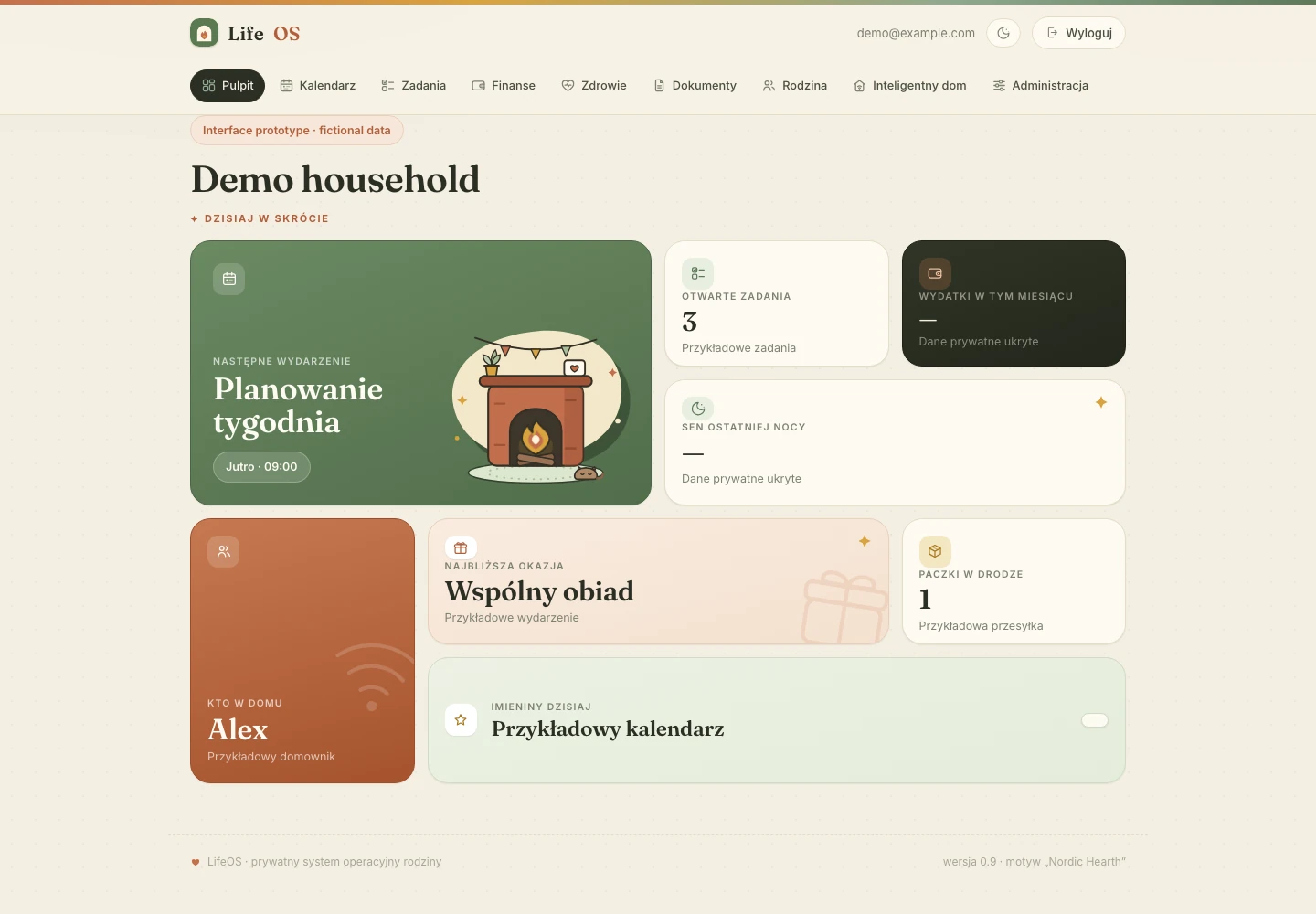
Personal internal product. The cover shows an existing design prototype with generic demonstration data and hidden finance/health values; it does not expose a real household dashboard.
What this shows
I can take a fragmented everyday workflow and build the permissions, data model and integration behavior that make a shared product practical.
Where it started
LifeOS is private software for household administration. It brings tasks, calendars, documents and connected-service data into one product instead of making every person assemble that view from separate apps.
Interface preview
Interface prototype with demo household data.
The decisions behind the product
Organize the day around shared work
I connected the dashboard to household tasks, projects and calendars. Tasks carry ownership, audience, priority and timing, so a shared list can still make the next responsibility clear.
Make access part of the product
I implemented four household roles and server-side guards for sensitive sections. Children and a nanny receive the views intended for them, while parent and administrator responsibilities remain separate.
Handle the less visible integration work
Calendar sync handles cancellations and expired sync tokens. CSV imports recognize repeated imports without dropping legitimate repeated purchases. Document records are committed only after the uploaded object is checked in storage.
Keep the same information usable elsewhere
Bounded queries support both the web product and REST/MCP access. That creates a consistent route for paired devices and other tools without exposing raw database tables as the interface.
What came out of the work
One connected household workspace
The source implements the shared dashboard, tasks and projects, calendar, documents and finance workflows, with integration adapters around them. The available proof establishes product scope; household adoption and time saved have not been measured for publication.
Defined boundaries and refresh behavior
Four household roles control access, and Google Calendar synchronization is configured every fifteen minutes. That schedule describes the implementation, rather than promising that every external update arrives within fifteen minutes.
4household roles with different accessImplemented scope · checked 9 Oct 2026
4health data sources normalized into one historyImplemented connectors · usage not measured
15 minconfigured calendar synchronization intervalScheduled cadence · not a measured freshness guarantee
Inside the implementation
Explore the features, architecture and quality checks
What I built
A shared household dashboard with calendar, tasks and projects, documents, finance and connected-service views
Four roles: administrator, parent, child and nanny, with task audiences and separate restrictions for sensitive sections
Google Calendar synchronization with incremental updates, cancellation handling and recovery when a sync token expires
Task ownership, priorities, due dates, categories, tags, estimates and recorded time within household projects
Document uploads through signed storage URLs, followed by server-side verification of the uploaded object's size and type
Manual, CSV and bank-connected finance workflows; repeat CSV imports use stable hashes while preserving legitimate repeated transactions
Health-history adapters for Apple, Oura, Whoop and Withings, with shared representations for measurements, sleep and workouts
Bounded data queries shared by REST and MCP interfaces, with paired-device tokens and access checks
How it works
Bring togetherConnected services and direct entry feed the household's calendars, tasks and records.
Give contextEach item belongs to a person, project or audience, so the dashboard has a clear purpose.
ActHousehold members use the tasks and views their role permits, while integrations refresh shared information.
Quality and reliability
Role checks are applied on the server; parent-only and administrator-only actions have separate guards
Calendar sync handles remote deletions and expired tokens; finance imports distinguish re-imports from legitimate identical transactions
Uploaded files are verified against storage before their document record is committed
Internal software: the public cover is an existing design prototype populated with generic demonstration data; no household records are shown