Start with the appointment
I connected the calendar to client records and visit history, including notes, photos and products used. Deposit status, stock and invoices sit alongside that workflow rather than in unrelated tools.
Keep the salon's administration close to the appointment, so the stylist can follow one workflow through the day.
Appointment details, previous treatments, deposits and product stock belong to the same job, but are easy to scatter across messages and notes. A mobile product also needs to handle connection gaps without silently losing the stylist's work.
Product design and engineering. The cover shows the public website's hard-coded demonstration interface, not customer records. Production adoption and commercial results have not been verified.
I can turn the details of a small service business into a focused product, then carry the workflow across web, mobile and backend systems.
Pazy is a salon-management product for nail professionals working independently. It combines a public booking route with a web panel and native mobile implementations. The public website is available; the product is presented here as a prototype.
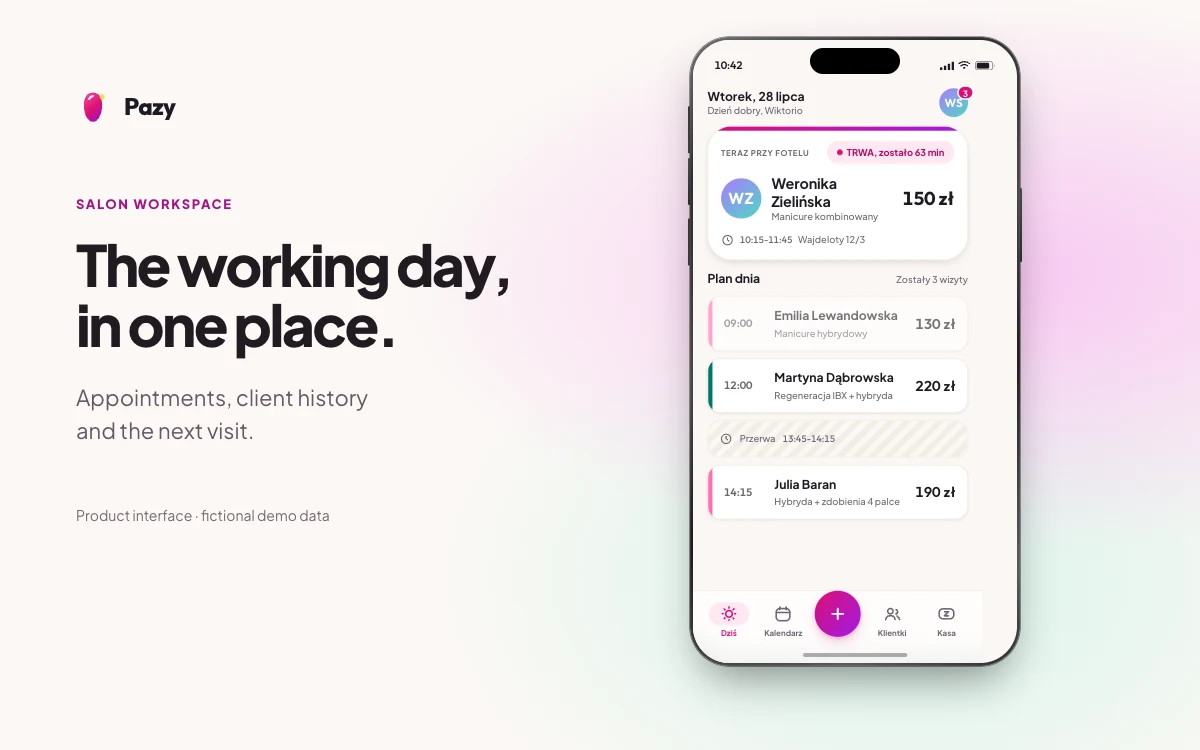
I connected the calendar to client records and visit history, including notes, photos and products used. Deposit status, stock and invoices sit alongside that workflow rather than in unrelated tools.
The booking endpoint checks for a conflicting appointment, matches or creates the client and writes the appointment in a transaction. It applies the salon's deposit policy and schedules reminder records.
I built native iOS and Android clients with cached data and an outbox for supported changes. Synchronization retries queued work and exposes failed operations, with idempotency keys on API requests.
The prototype links a booking to the client, appointment, visit record and salon operations. The same service is available through a web panel and native mobile implementations.
The mobile implementations keep supported changes in a local queue until they can be synchronized. Pending and failed work is visible in the interface.